CMM — Context Memory Manager

A self-hosted file manager for the memory folders, prompts and private files of your AI tools. Encrypted, versioned and backed up on your own drives. Runs fully offline.

Free and open source (MIT) · macOS, Windows, Linux · Ubuntu server

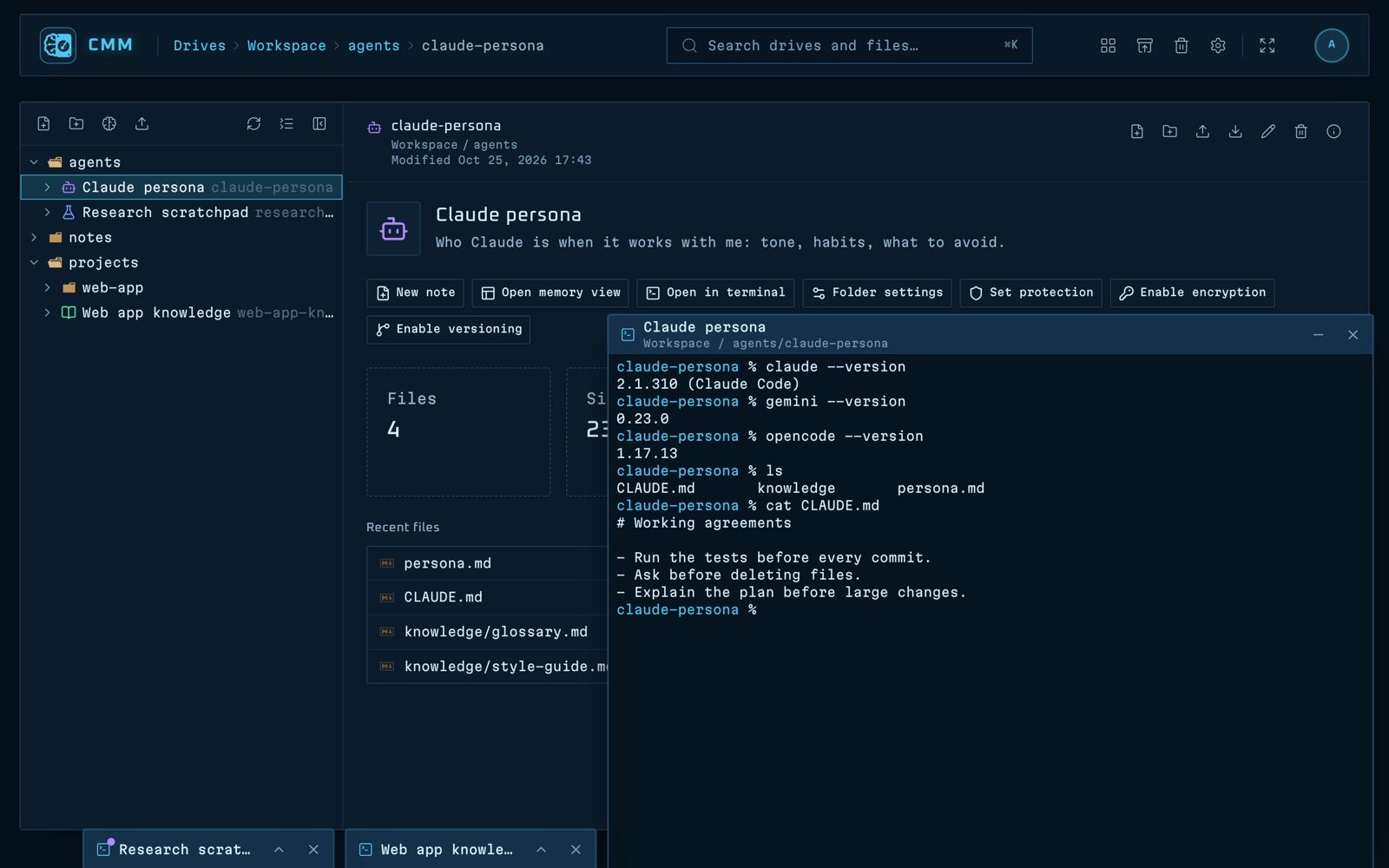
CMM running Claude Code, Gemini CLI and opencode in a memory folder's terminals
Claude Code, Gemini CLI and opencode working inside a memory, each in its own terminal.
Works with any agent CLI
  • Claude Code
  • Gemini CLI
  • Codex
  • opencode
  • Aider
  • your own scripts
Why CMM

Your AI's memory deserves a proper home

AI agents and chat tools keep their memory in plain folders: personas, project knowledge, scratchpads, notes, datasets. CMM gives you one app to browse and edit those folders, run agents inside them, lock or encrypt the sensitive ones, keep a history of every change and back them all up to a drive you own.

Memory folders

Turn any folder into a memory

Give a folder a name, a colour and a description, or start one from a template: LLM persona, project knowledge or agent scratchpad.

  • An overview with size, recent files and quick actions
  • A card on the Drives page, even for memories on a plugged-in drive
  • View-only and locked folders, so an agent can't change them
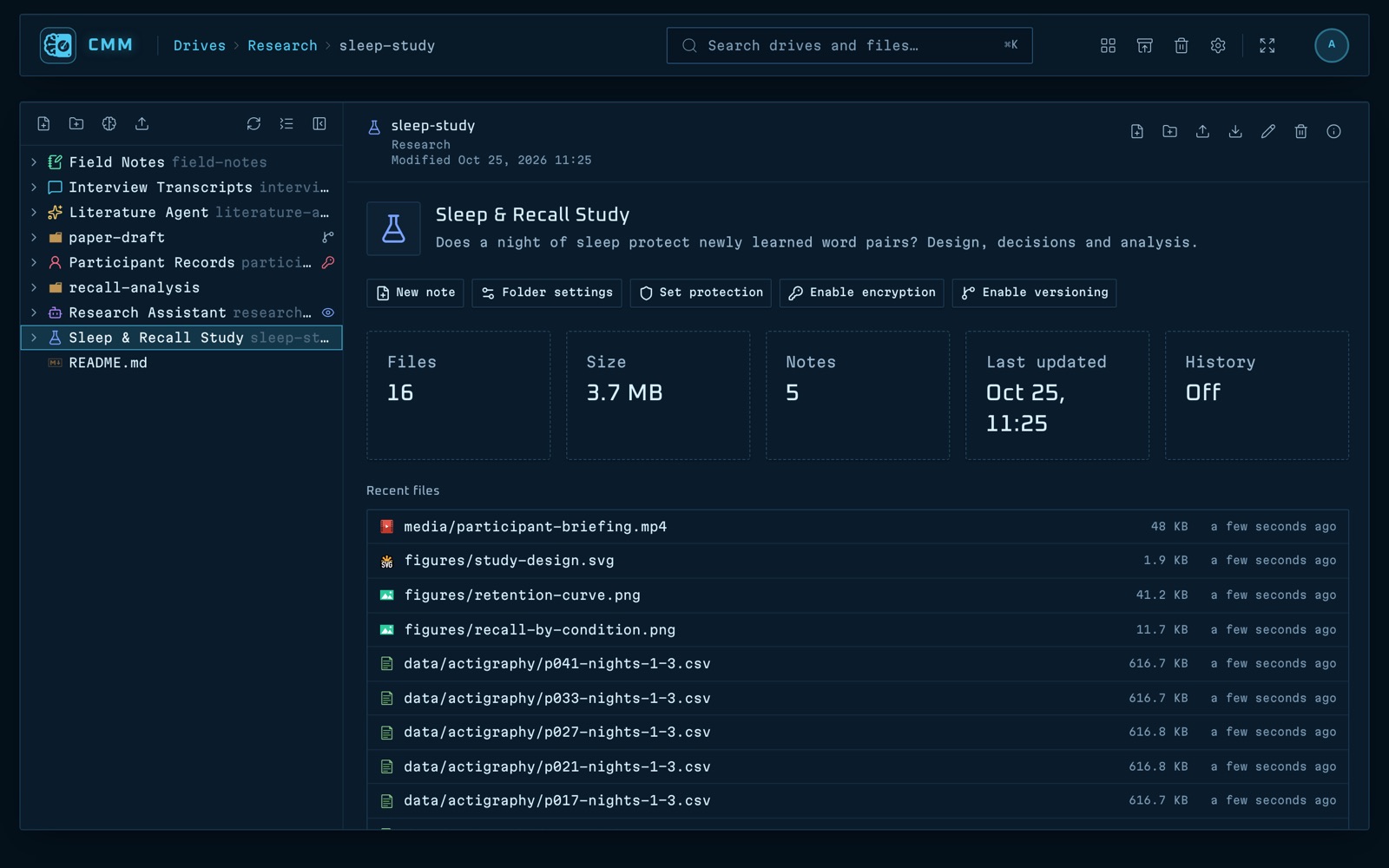
The overview page of a memory folder in CMM
Explorer and editors

Browse and edit every memory in one window

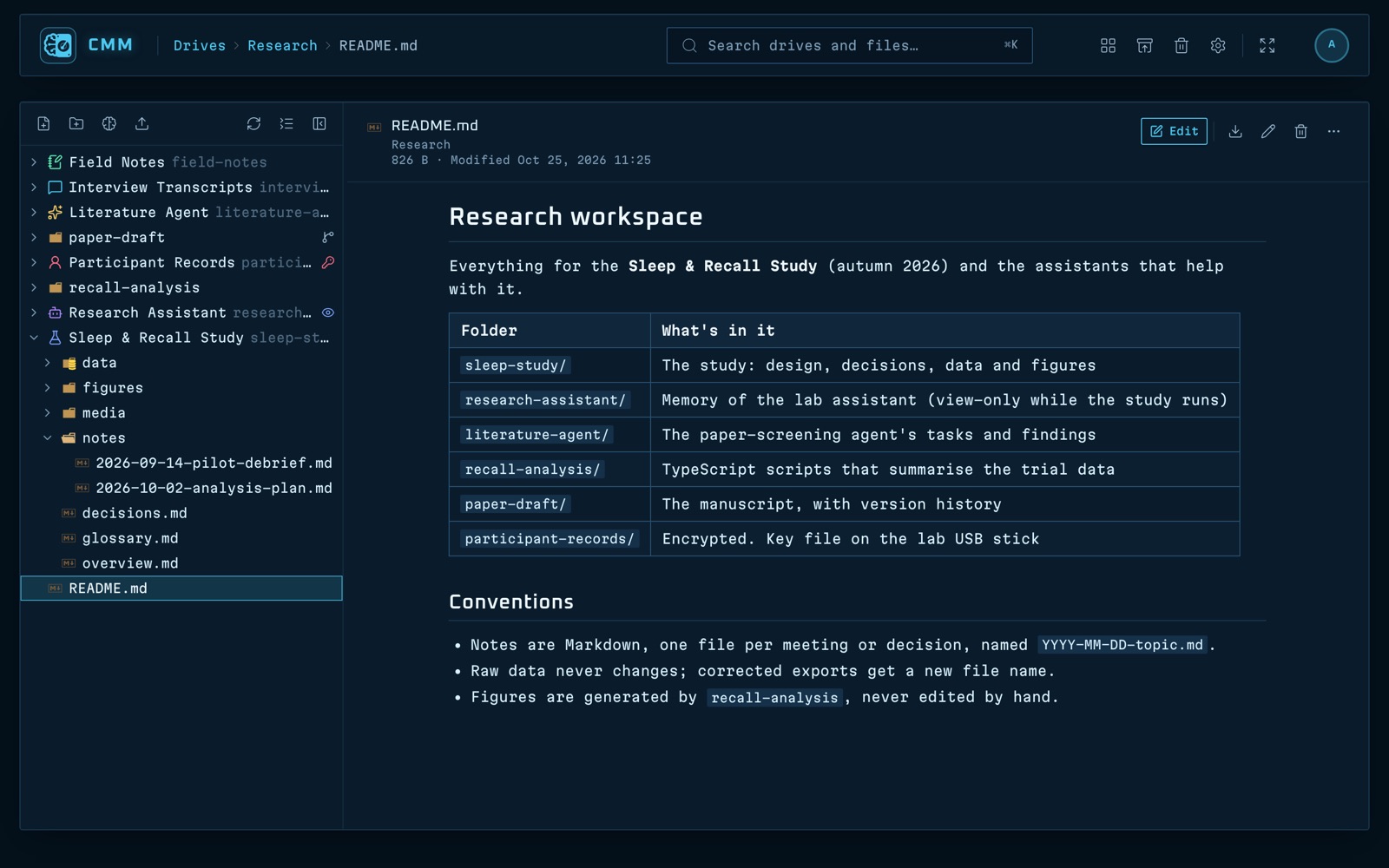
A file tree and a file pane, side by side. Markdown opens formatted and edits in a rich editor or as source, code opens in a code editor, and images, PDFs and CSV tables have their own viewers.

  • Excel and Word previews, and other Office files as PDFs
  • Upload whole folders, replace a file and see what changed
  • Drag and drop, copy and paste across drives
  • Download as zip, and a trash you can restore from
The CMM explorer with a file tree and a Markdown file open
Encryption

AES-256 encryption with a key you keep

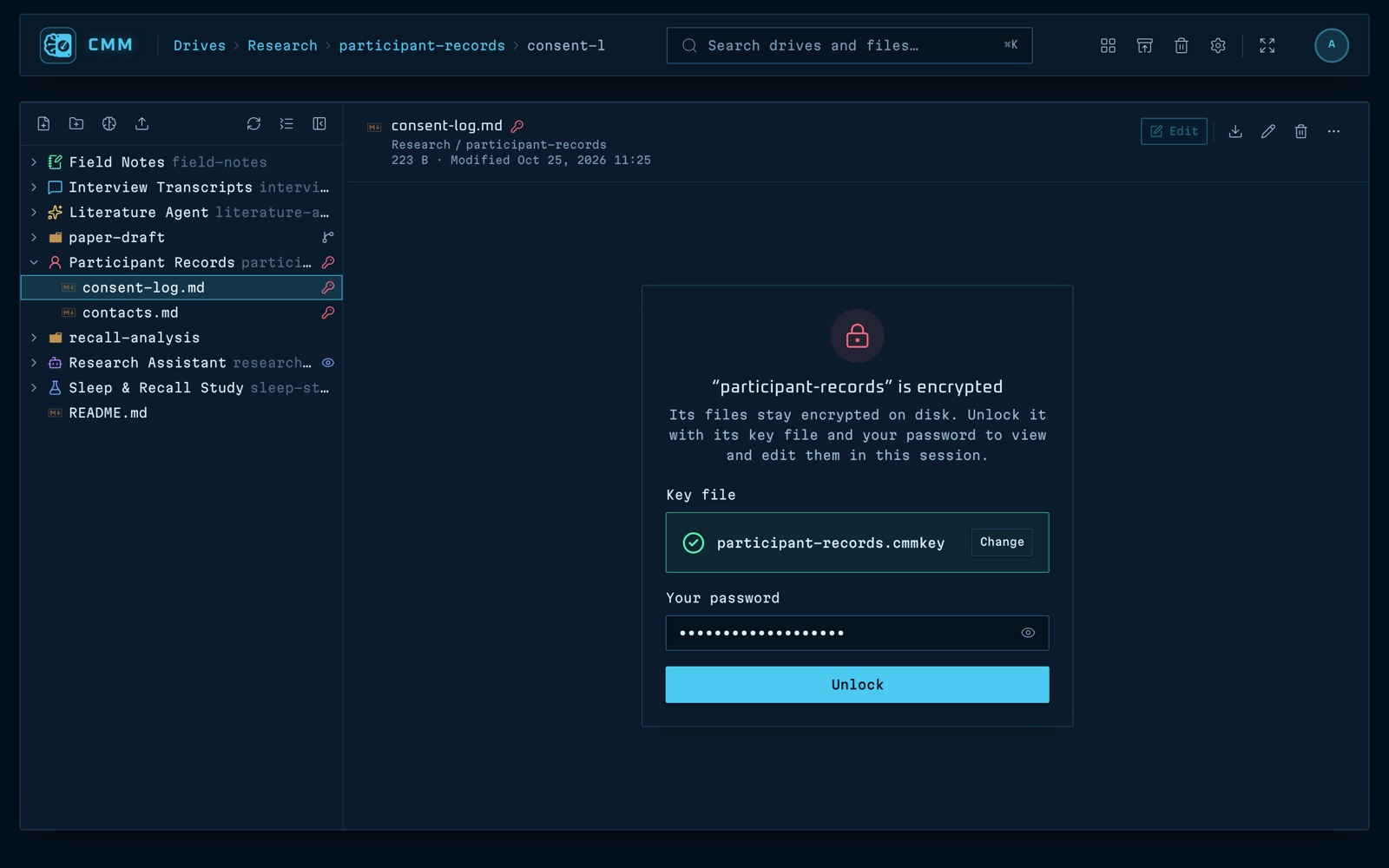
Encrypt a folder with AES-256-GCM. Its key lives in a key file you keep, for example on a USB stick. Files stay encrypted on disk and in every backup, and the folder locks again on its own.

Unlocking an encrypted folder in CMM with its key file
Version history

Every save is a version you can restore

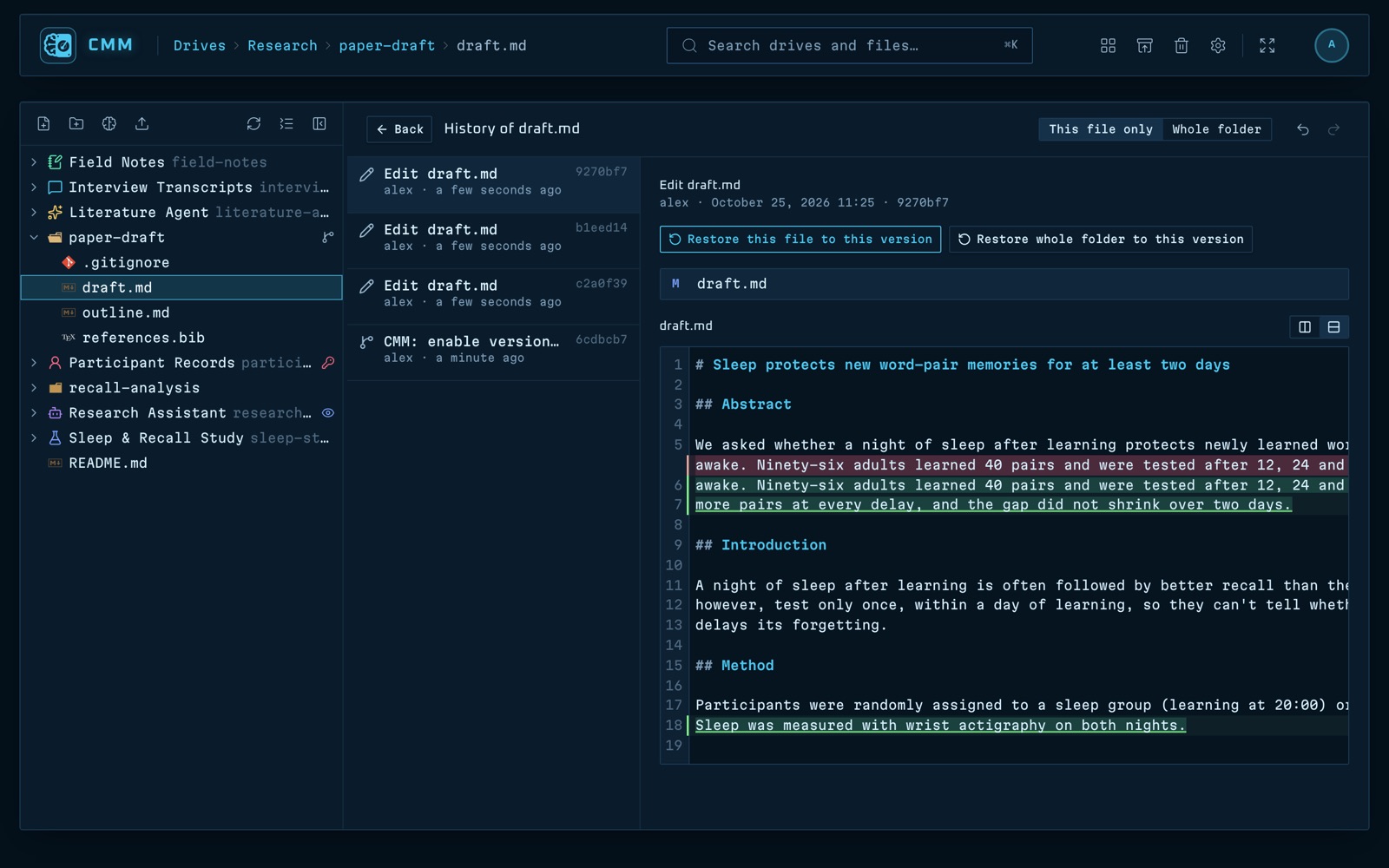
Turn on versioning and CMM keeps a Git history of the folder: compare and restore any version, undo and redo, take named snapshots. There is nothing to learn about Git.

The version history of a file with a diff in CMM
Backups

Back up to a USB stick, clone onto another computer

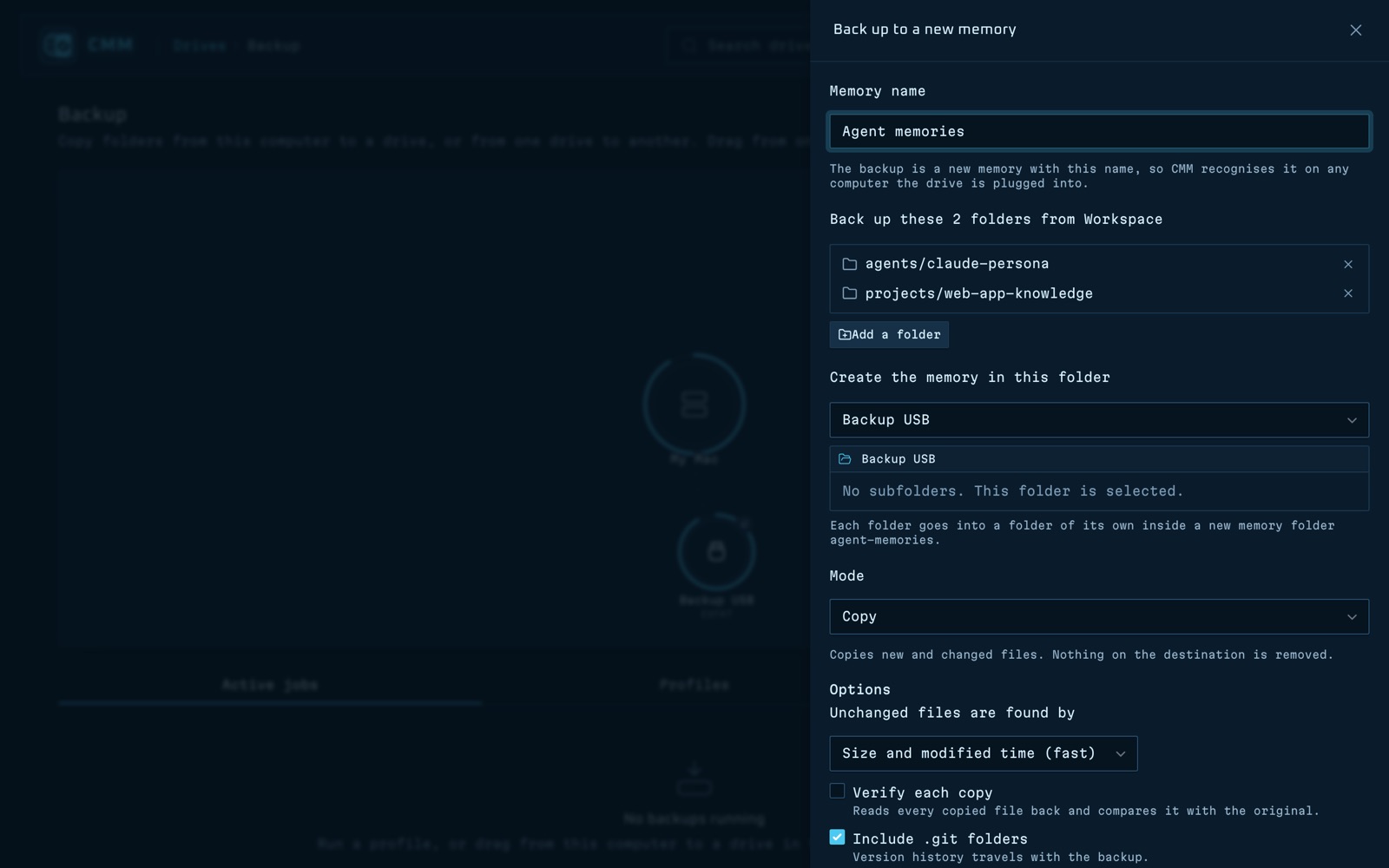
Copy, mirror or take dated snapshots of any folder onto another drive. Back memories up with their names, icons, encryption and history, then plug the drive into another computer and copy them onto it.

  • Profiles that run as soon as a drive is plugged in
  • Interrupted backups resume where they stopped
  • A live picture of your drives and every running transfer
Backing up two memories into a new memory on a USB drive in CMM
And more

Everything you need around your files

Terminals

Open a terminal on a memory and your agent starts there, with your own shell and tools. Dock several at once.

Jobs

Make a terminal a job and your agent keeps working after CMM is closed or updated. See when each job started, how long it has run and where.

On your phone

Open your CMM server from a phone: a layout made for small screens, and a terminal key bar to drive Claude Code on the go.

Quick search

Press ⌘/Ctrl+K to switch drives, jump to a page or find any file by name.

Live drives

Internal folders, external disks and USB sticks appear as you plug them in, and eject from CMM.

Users and security

Admin, editor and viewer accounts, sign-in lockout, auto-lock and HTTPS on the server.

Install

Run it on your desktop or on your own server

Desktop app

For macOS, Windows and Linux. Your files stay where they already are on your computer.

Read the Desktop Guide →

Server for Ubuntu

A systemd service on a machine on your network, opened from any browser on the LAN, phones included, with user accounts and HTTPS. Installs from an offline package.

Read the Server Guide →
Private by design

Nothing leaves your machine

CMM works without an internet connection. Your memories, prompts and keys stay on drives you own.

No account No cloud No telemetry Fully offline Open source, MIT
FAQ

Questions

What is CMM (Context Memory Manager)?

CMM is a free, open-source file manager for the folders where AI agents and chat tools keep their memory: personas, project knowledge, scratchpads, prompts and notes. You browse and edit them in one app, mark folders as memories, run agent CLIs inside them, encrypt the sensitive ones, keep a history of every change and back them up to your own drives.

Does CMM send my files to the cloud?

No. CMM runs fully offline. There is no account, no cloud service and no telemetry; your files stay on your computer or on your own server.

Can an agent keep working after I close CMM?

Yes. Turn its terminal into a job and it keeps running in the background, like a tmux session, after CMM is closed, restarted or updated. The Jobs page shows every job, and discarding one ends it and leaves no trace.

Which AI tools does CMM work with?

Any tool that keeps its memory in folders. CMM's terminals run any agent CLI inside a memory folder, such as Claude Code, Gemini CLI, Codex, opencode or Aider, so the agent reads and writes that memory directly.

Which platforms does CMM run on?

CMM is a desktop app for macOS, Windows and Linux, and a server for Ubuntu 22.04 or later that you open from any browser on your network, including your phone's.

Is CMM free?

Yes. CMM is open source under the MIT license.

Give your AI's memory a home

Download CMM, or build it from source in a few commands.